How to Use DeepSeek API Outside China: Complete Step-by-Step Guide 2026
DeepSeek has taken the AI world by storm with its V4 and Reasoner models, offering performance that matches or exceeds GPT-4o at a fraction of the cost. For international developers, the best news is that DeepSeek fully supports global users with no Chinese ID or phone number required.
In this complete guide, I’ll walk you through every step of the process, from signing up for an account to making your first API call.
Why DeepSeek is a Game-Changer
Before we get started, let’s quickly look at why so many developers are switching to DeepSeek:
- Unbeatable price: DeepSeek V4 costs $0.14 per million input tokens and $0.28 per million output tokens. That’s 35x cheaper than GPT-4o.
- Top-tier performance: DeepSeek V4 matches GPT-4o in most benchmarks and outperforms it in code generation and mathematical reasoning.
- Full international support: No Chinese ID, no Chinese phone number, no VPN required.
- OpenAI compatible: Uses the exact same API format as OpenAI. You can switch models by changing just 2 lines of code.
Prerequisites
Before you start, you’ll need:
- A valid email address (Gmail, Outlook, etc.)
- A phone number from any country (for verification)
- A credit card or PayPal account (for payment)
DeepSeek supports phone numbers from over 150 countries, including the US, UK, Canada, Australia, and most European countries.
Step 1: Sign Up for a DeepSeek Account
The first step is to create a DeepSeek account.
- Go to platform.deepseek.com
- You’ll see three registration options: Email, Google, and GitHub
- I recommend using Google or GitHub for the fastest registration
- If you use email, you’ll need to verify your email address by clicking the link sent to your inbox
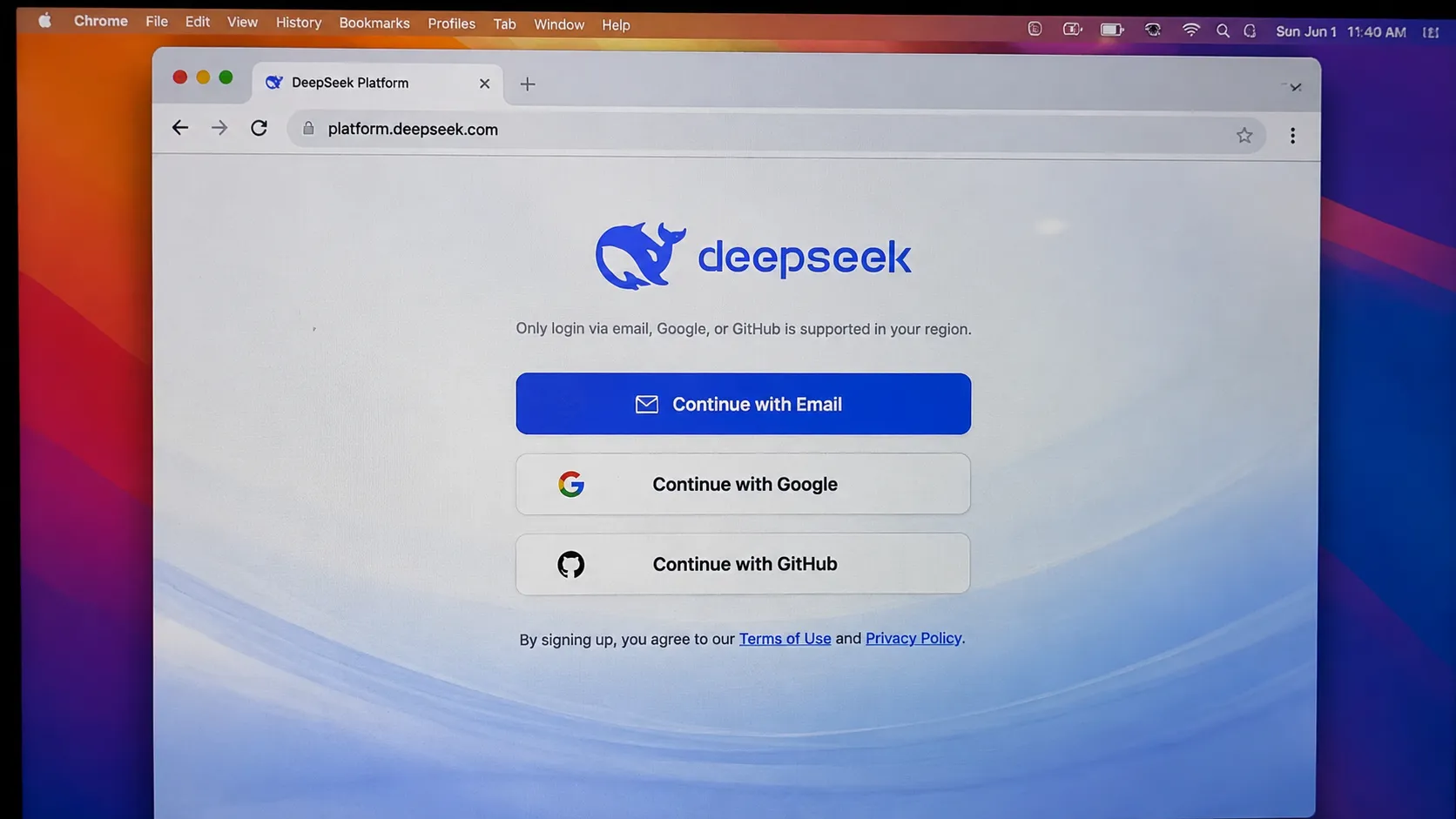
The entire registration process takes less than 30 seconds.
Step 2: Verify Your Phone Number
After signing up, you’ll be prompted to verify your phone number. This is required to prevent abuse and is standard for all AI API providers.
- Select your country from the dropdown menu
- Enter your phone number (without the leading zero)
- Click “Send Code”
- Enter the 6-digit verification code you receive via SMS
- Click “Verify”
If you don’t receive the code, try the following:
- Check your spam folder
- Wait 2-3 minutes and try again
- Use a different phone number
Step 3: Create Your First API Key
Once your phone number is verified, you’ll be taken to the DeepSeek platform dashboard. Now it’s time to create your API key.
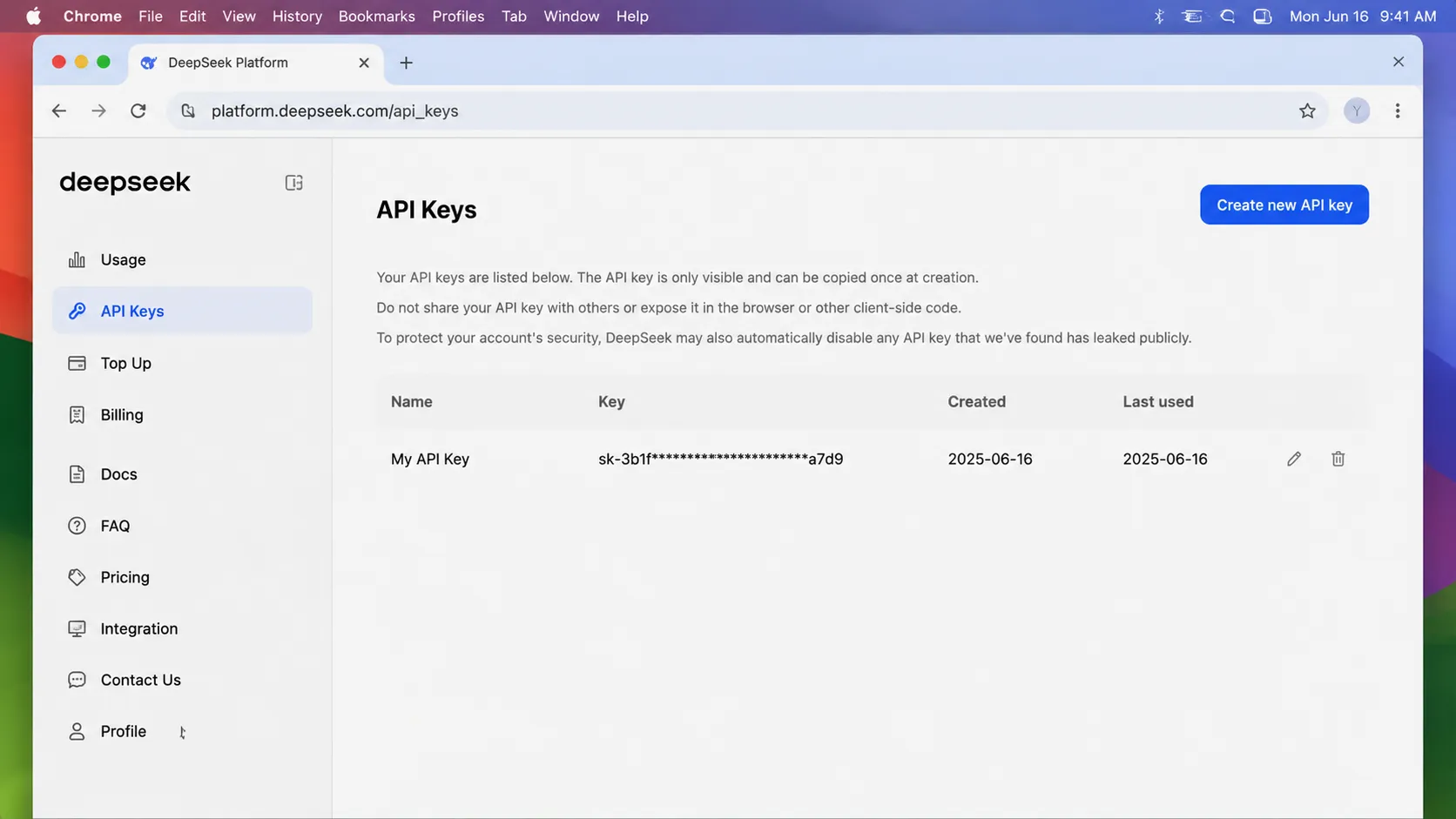
- In the left sidebar, click on “API Keys”
- Click the blue “Create new API key” button in the top right corner
- Give your API key a name (e.g., “My First Key”)
- Click “Create”
- Your API key will be displayed once. Copy it and store it in a safe place.
Important security note: Never expose your API key in client-side code or commit it to version control. If your key is compromised, you can rotate or delete it at any time.
Step 4: Add Payment Method and Recharge
DeepSeek offers a free tier of 1 million tokens for new users, which is enough to test the platform. For production use, you’ll need to add a payment method.
- In the left sidebar, click on “Billing”
- Click “Add payment method”
- You can choose between credit card (Visa/Mastercard) and PayPal
- Enter your payment details
- Enter the amount you want to recharge (minimum $5)
- Click “Recharge”
Your balance will be updated immediately after payment is processed. You can check your balance and usage history at any time on the Billing page.
Step 5: Make Your First API Call
Now that you have an API key, you’re ready to make your first API call. DeepSeek uses the OpenAI API format, so if you’ve used OpenAI before, this will be very familiar.
Python Example
First, install the OpenAI SDK:
pip3 install openai
Then use this code:
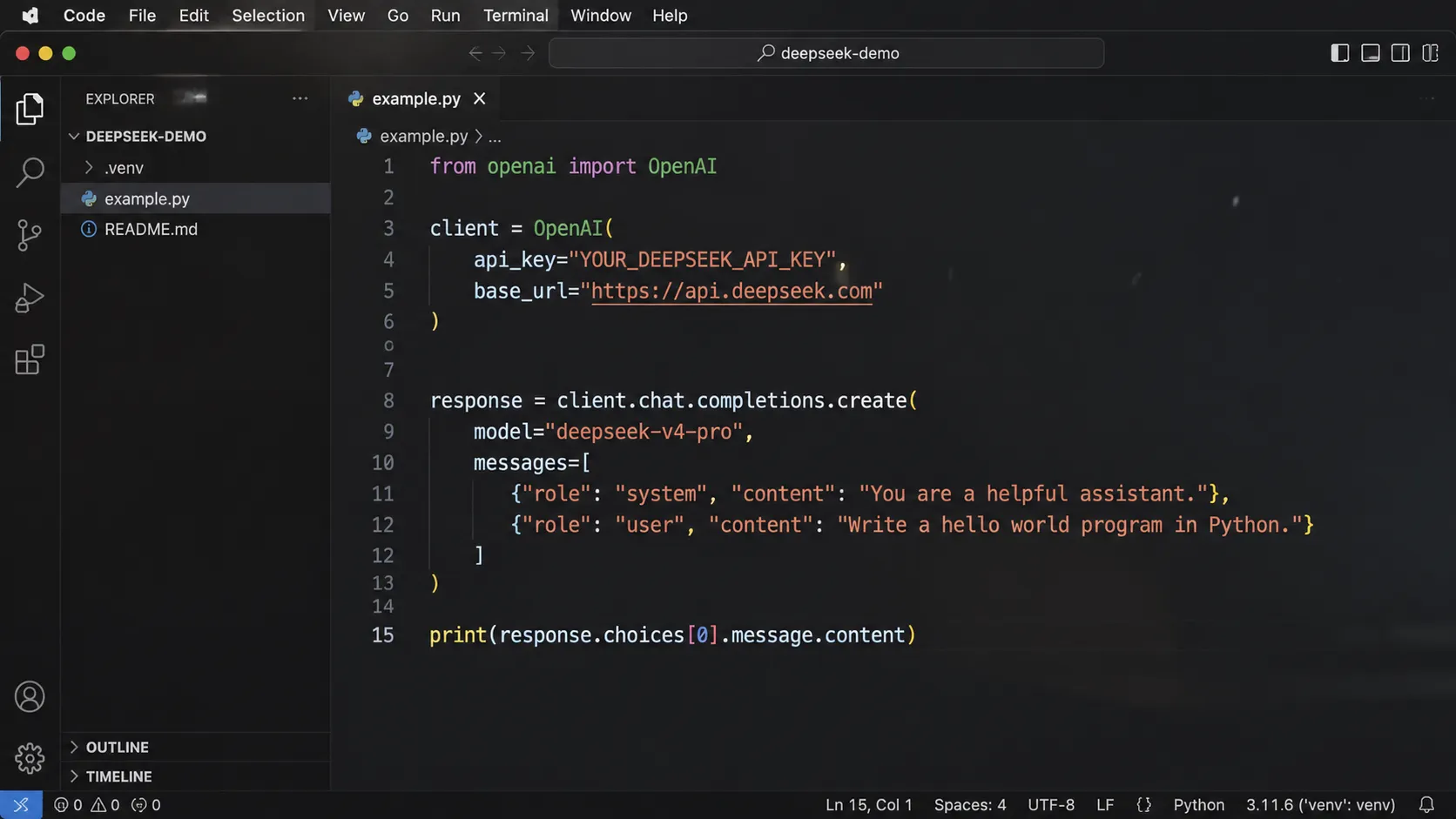
import os
from openai import OpenAI

client = OpenAI(
    api_key=os.environ.get("DEEPSEEK_API_KEY"),
    base_url="https://api.deepseek.com"
)

response = client.chat.completions.create(
    model="deepseek-v4-pro",
    messages=[
        {"role": "system", "content": "You are a helpful assistant"},
        {"role": "user", "content": "Hello"},
    ],
    stream=False,
    reasoning_effort="high",
    extra_body={"thinking": {"type": "enabled"}}
)

print(response.choices[0].message.content)
JavaScript Example
First, install the OpenAI SDK:
npm install openai
Then use this code:
import OpenAI from "openai";

const client = new OpenAI({
  apiKey: process.env.DEEPSEEK_API_KEY,
  baseURL: "https://api.deepseek.com",
});

async function main() {
  const response = await client.chat.completions.create({
    model: "deepseek-v4-pro",
    messages: [
      { role: "system", content: "You are a helpful assistant" },
      { role: "user", content: "Hello" },
    ],
    stream: false,
    reasoning_effort: "high",
    extra_body: { thinking: { type: "enabled" } },
  });

  console.log(response.choices[0].message.content);
}

main();
DeepSeek currently provides these base URLs:
- OpenAI-compatible
base_url:https://api.deepseek.com - Anthropic-compatible
base_url:https://api.deepseek.com/anthropic
Available Models
DeepSeek currently offers the following models:
| Model | Status | Notes |
|---|---|---|
| deepseek-v4-flash | Active | Fast, lower-cost option for simple tasks |
| deepseek-v4-pro | Active | Stronger general-purpose model |
| deepseek-chat | Deprecated | Will be discontinued on 2026/07/24 |
| deepseek-reasoner | Deprecated | Will be discontinued on 2026/07/24 |
Rate Limits
New users start with the following rate limits:
- 100 requests per minute
- 10,000 tokens per minute
If you need higher rate limits, you can request an increase by contacting DeepSeek support.
Common Issues and Troubleshooting
”Invalid API key” error
- Double-check that you copied the API key correctly
- Make sure you’re using the correct base URL (
https://api.deepseek.com) - Check that your API key hasn’t been rotated or deleted
”Insufficient balance” error
- Check your balance on the Billing page
- Add more funds to your account
”Rate limit exceeded” error
- Wait a minute and try again
- Implement exponential backoff in your code
- Request higher rate limits if needed
Payment failed
- Make sure your card supports international transactions
- Contact your bank to allow payments to DeepSeek
- Try using PayPal instead
FAQ
Do I need a Chinese ID to use DeepSeek API?
No. DeepSeek fully supports international users and does not require a Chinese ID or phone number.
Can I use DeepSeek API for commercial purposes?
Yes. You can use DeepSeek API for any commercial or non-commercial purpose.
Is DeepSeek API compliant with GDPR?
DeepSeek has stated that it complies with GDPR and other international data protection regulations. You can read their privacy policy for more details.
How does DeepSeek compare to other Chinese AI models?
DeepSeek is generally considered the best Chinese AI model for international users due to its full international support, competitive pricing, and excellent performance. For a detailed comparison, check out our Doubao API guide and Qwen API guide.
Can I get a refund if I don’t use my balance?
DeepSeek does not offer refunds for unused balance. I recommend starting with the minimum $5 recharge to test the platform.
Conclusion
DeepSeek is by far the easiest Chinese AI model to use as an international user. With full international support, no Chinese ID required, and unbeatable pricing, it’s the best choice for most developers looking to reduce their AI costs.
If you’re interested in trying other Chinese AI models, be sure to check out our other guides: