Qwen 3.5 Max API International Guide 2026
Alibaba’s Qwen series of models has been steadily improving over the past few years, and Qwen 3.5 Max, released in April 2026, is their best model yet. With excellent multilingual capabilities, a large 128k context window, and solid general-purpose performance, it’s a great alternative to DeepSeek and GPT-4o.
Like DeepSeek, Qwen fully supports international users with no Chinese ID or phone number required. In this guide, I’ll walk you through the entire process of getting started with Qwen API.
What is Qwen 3.5 Max?
Qwen 3.5 Max is Alibaba Cloud’s flagship large language model. It offers:
- Excellent multilingual support (100+ languages)
- 128k token context window
- Multimodal capabilities (image understanding)
- Solid general-purpose performance
- Competitive pricing
- Full international support
While it doesn’t quite match DeepSeek V4 or Doubao Seed 2.0 in reasoning and code generation, it excels at multilingual tasks and long context processing.
Qwen 3.5 Max vs Other Models
Here’s how Qwen 3.5 Max compares to other leading AI models:
| Model | Input Price | Output Price | Best For |
|---|---|---|---|
| Qwen 3.5 Max | $0.20/M | $0.40/M | Multilingual, long context |
| DeepSeek V4 | $0.14/M | $0.28/M | Reasoning, code |
| Doubao Seed 2.0 | $0.36/M | $0.72/M | Code, multimodal |
| GPT-4o | $5.00/M | $15.00/M | General purpose |
| Claude Sonnet | $3.00/M | $15.00/M | Long context |
As you can see, Qwen offers excellent value for money, especially for multilingual applications.
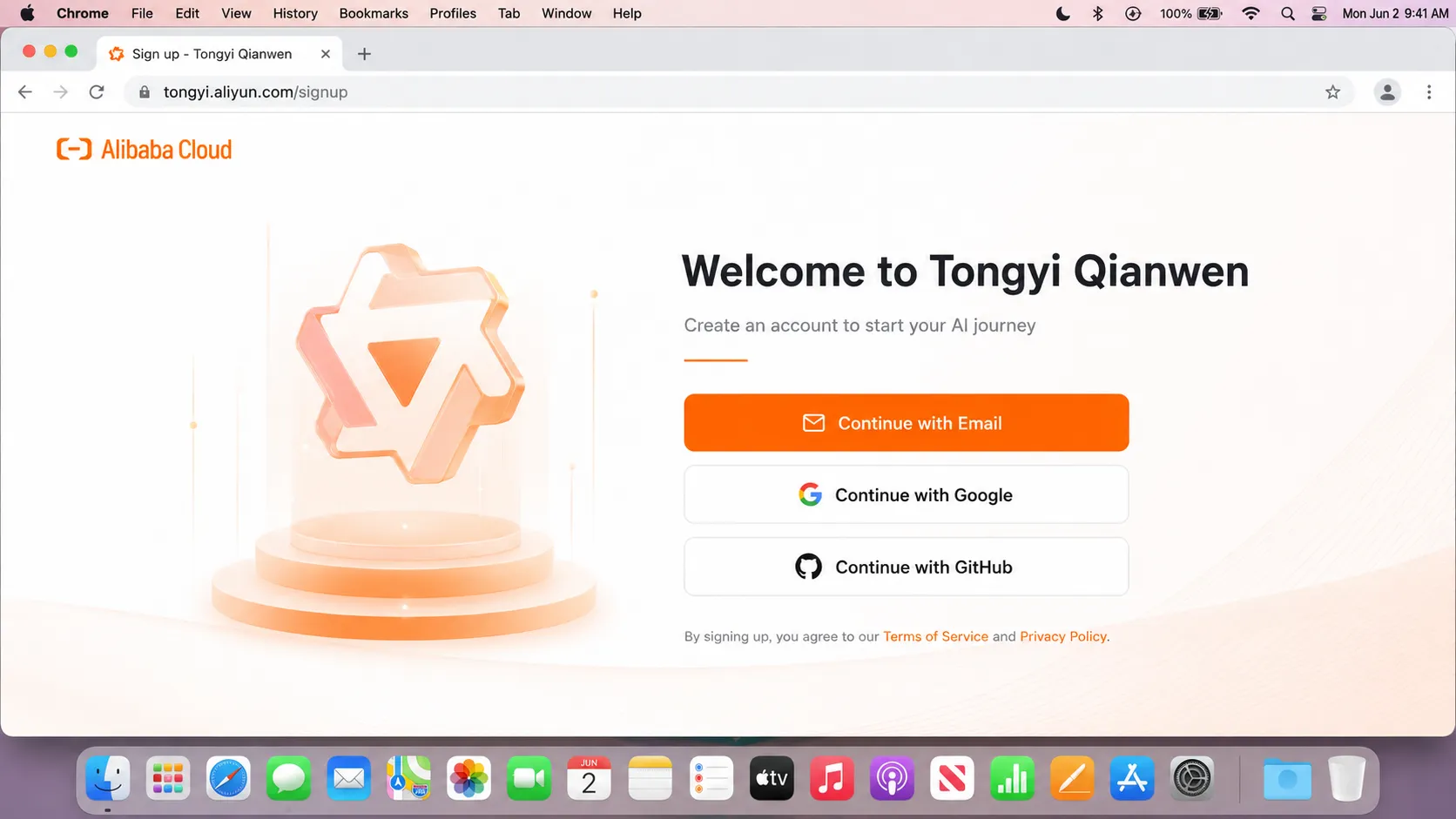
Step 1: Sign Up for a Tongyi Qianwen Account
Qwen API is provided through Alibaba’s Tongyi Qianwen platform.
- Go to tongyi.aliyun.com
- Click “Sign Up” in the top right corner
- You can register with email, Google, or GitHub
- I recommend using Google or GitHub for the fastest registration
- Verify your email address if required
Step 2: Verify Your Phone Number
After signing up, you’ll need to verify your phone number. This is required to prevent abuse.
- Select your country from the dropdown menu
- Enter your phone number
- Click “Send Verification Code”
- Enter the code you receive via SMS
- Click “Verify”
Tongyi Qianwen supports phone numbers from most countries around the world, including the US, UK, Canada, Australia, and all European countries.
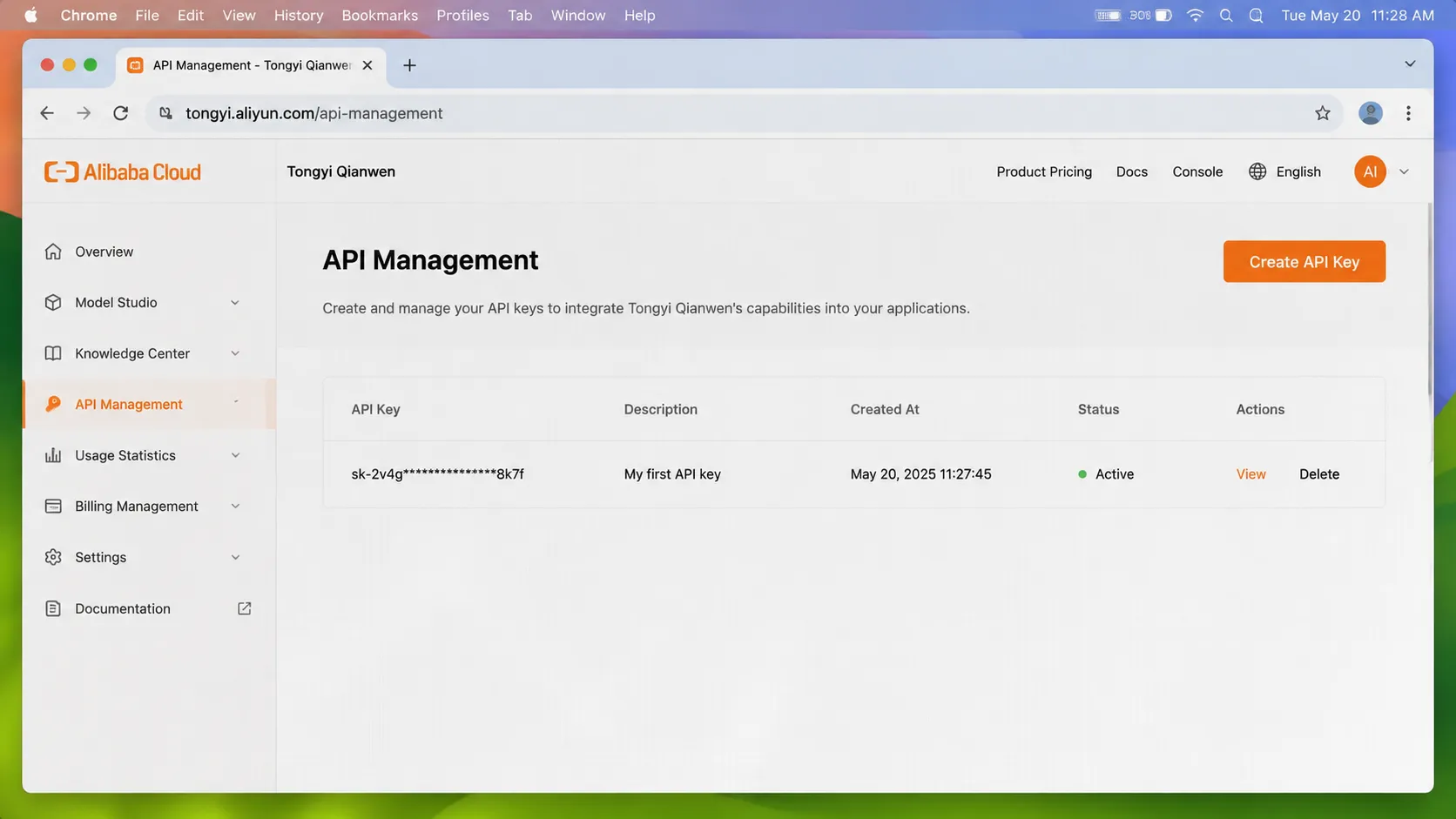
Step 3: Create an API Key
Once your phone number is verified, you can create your API key.
- In the top right corner, click on your profile picture
- Select “API Management” from the dropdown menu
- Click the “Create API Key” button
- Give your key a descriptive name (e.g., “Production Key”)
- Click “Create”
- Copy your API key immediately and store it in a safe place. It will only be shown once.
Step 4: Add Payment Method
Tongyi Qianwen offers a generous free tier of 1 million tokens for new users, which is enough to thoroughly test the platform. For production use, you’ll need to add a payment method.
- Go to the “Billing” section in the left sidebar
- Click “Add Payment Method”
- You can choose between credit card (Visa/Mastercard) and PayPal
- Enter your payment details
- Enter the amount you want to recharge (minimum $5)
- Click “Recharge”
Your balance will be updated immediately after payment is processed. You can check your balance and usage history at any time on the Billing page.
Step 5: Make Your First API Call
Qwen API is fully compatible with the OpenAI format, making it extremely easy to switch from other models.
Python Example
First, install the OpenAI SDK if you haven’t already:
pip install openai
Then use this code:
from openai import OpenAI

client = OpenAI(
    api_key="YOUR_QWEN_API_KEY",
    base_url="https://dashscope.aliyuncs.com/compatible-mode/v1"
)

response = client.chat.completions.create(
    model="qwen-max",
    messages=[
        {"role": "system", "content": "You are a helpful assistant."},
        {"role": "user", "content": "Translate 'Hello world' to French, Spanish and German."}
    ]
)

print(response.choices[0].message.content)
JavaScript Example
First, install the OpenAI SDK:
npm install openai
Then use this code:
import OpenAI from "openai";

const client = new OpenAI({
  apiKey: "YOUR_QWEN_API_KEY",
  baseURL: "https://dashscope.aliyuncs.com/compatible-mode/v1",
});

async function main() {
  const response = await client.chat.completions.create({
    model: "qwen-max",
    messages: [
      { role: "system", content: "You are a helpful assistant." },
      {
        role: "user",
        content: 'Translate "Hello world" to French, Spanish and German.',
      },
    ],
  });

  console.log(response.choices[0].message.content);
}

main();
Available Models
Tongyi Qianwen offers the following models as of May 2026:
| Model | Description | Input Price | Output Price |
|---|---|---|---|
| qwen-max | Qwen 3.5 Max general purpose | $0.20/M | $0.40/M |
| qwen-plus | Balanced performance and cost | $0.08/M | $0.16/M |
| qwen-turbo | Fastest response time | $0.02/M | $0.04/M |
| qwen-vl-max | Multimodal model (image + text) | $0.50/M | $1.00/M |
Qwen’s Unique Features
Multilingual Support
Qwen has industry-leading support for over 100 languages, making it the best choice for multilingual applications. It outperforms most other models in low-resource languages and offers more natural translations.
Long Context Window
Qwen 3.5 Max supports a 128k token context window, which is enough to process entire books, large codebases, or extensive documentation in a single prompt.
Multimodal Capabilities
Qwen-vl-max can understand and analyze images, making it suitable for applications like image captioning, OCR, visual question answering, and document analysis.
Rate Limits
New users start with the following rate limits:
- 60 requests per minute
- 10,000 tokens per minute
If you need higher rate limits, you can request an increase by contacting Alibaba Cloud support.
Common Issues and Troubleshooting
”Invalid API key” error
- Double-check that you copied the API key correctly
- Make sure you’re using the correct base URL:
https://dashscope.aliyuncs.com/compatible-mode/v1 - Verify that your API key hasn’t been revoked or expired
”Insufficient balance” error
- Check your balance in the Billing section
- Add more funds to your account
”Model not found” error
- Make sure you’re using the correct model ID from the table above
- Check that the model is available in your region
Payment failed
- Make sure your card supports international transactions
- Contact your bank to allow payments to Alibaba Cloud
- Try using PayPal instead of a credit card
FAQ
Do I need a Chinese ID to use Qwen API?
No. Qwen fully supports international users and does not require a Chinese ID or phone number.
Is Qwen API compliant with GDPR?
Alibaba Cloud has stated that it complies with GDPR and other international data protection regulations. You can read their full privacy policy on their website.
Can I use Qwen API for commercial purposes?
Yes. You can use Qwen API for any commercial or non-commercial purpose.
How does Qwen compare to DeepSeek?
DeepSeek is better for reasoning and code generation tasks, while Qwen is better for multilingual applications and long context processing. Both are excellent options depending on your use case.
Can I get a refund if I don’t use my balance?
No. Like most Chinese AI platforms, Qwen does not offer refunds for unused balance. I recommend starting with the minimum $5 recharge to test the platform.
Conclusion
Qwen 3.5 Max is a solid all-around AI model that offers excellent value for money. With full international support, no Chinese ID required, and industry-leading multilingual capabilities, it’s a great addition to any developer’s toolkit.
To learn more about other Chinese AI models, check out our other guides: